

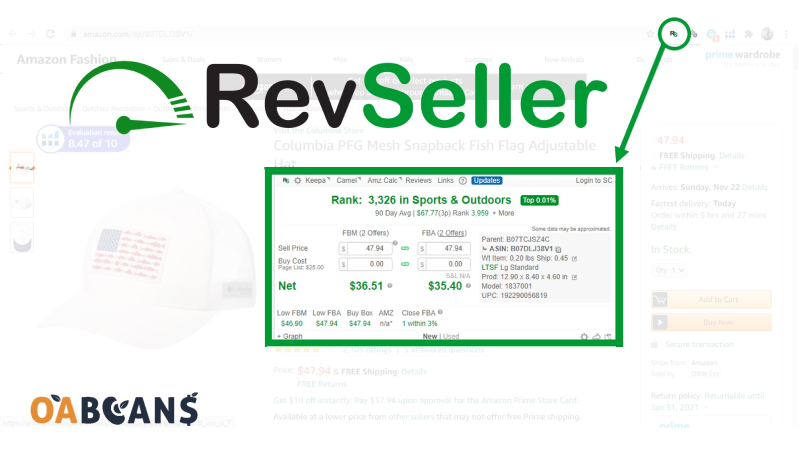
Quick answer: RevSeller is a Chrome extension (with a companion mobile app) that adds a profit and ROI calculator, seller counts, restriction checks and a variation viewer right on Amazon product pages. It works on Amazon.com and Amazon.ca, costs $99.99 per year (or $19.99 per month), and has a 30-day free trial with no credit card required. It’s a fast, low-cost way to analyze arbitrage and wholesale leads, but it doesn’t replace Keepa for price history or support UK/EU marketplaces.
Amazon sellers rely on tools to evaluate products quickly, and RevSeller has been a favorite with online arbitrage sellers for years. In this review, we cover what RevSeller does, how much it costs, how to set it up, its pros and cons, and the best RevSeller alternatives.
What Is RevSeller and What Can It Do for You?
RevSeller is a product research tool for third-party Amazon sellers. Once installed, it shows a panel on every Amazon product page where you can enter your cost and instantly see Amazon fees, profit, margin and ROI for both FBA and FBM, along with key data such as sales rank, the number of FBA and FBM sellers, and one-click links to tools like Keepa and CamelCamelCamel.
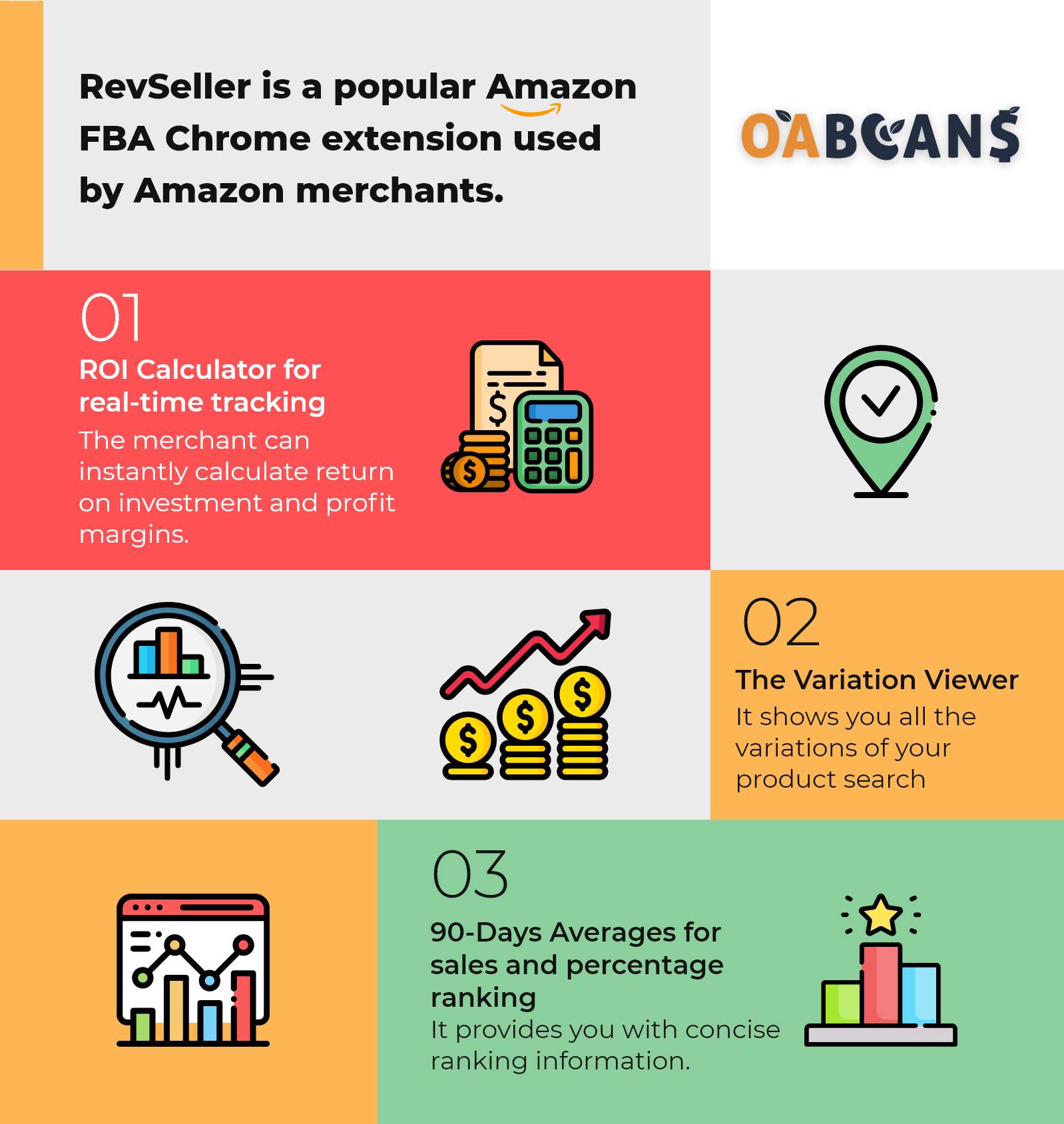
One of its most useful features is the Variation Viewer, which shows all of a listing’s variations (for example sizes or colors) in one table, so you can see which ones sell and how many offers each has without clicking through every option. RevSeller also checks whether you’re allowed to sell an ASIN and whether it’s FBA-eligible, and lets you export products to Google Sheets.
RevSeller Pricing and Free Trial
- Free trial: 30 days with full features and no credit card required.
- Annual plan: $99.99 per year (about $8.33 per month).
- Monthly plan: $19.99 per month, available at checkout.
Your subscription covers the Chrome extension and the mobile app under the same login. Prices are from RevSeller’s website as of October 2026, so check the site for the latest offers before you subscribe.
Who Can Use RevSeller?
- Marketplaces: Amazon.com and Amazon.ca only. It doesn’t work on Amazon.co.uk or other marketplaces yet.
- Browser: Google Chrome only (not Firefox, Safari or Edge).
- Mobile: a companion app for iPhone and Android with barcode and image scanning, using the same login as your revseller.com account.
- Amazon account: you need an Amazon seller account that can authorize third-party apps through Amazon’s Selling Partner API (SP-API), which in practice means a Professional account.
| Choose RevSeller if… | Consider alternatives if… |
|---|---|
| You source for Amazon.com or Amazon.ca | You sell on UK, EU or other marketplaces |
| You want instant on-page profit, fee and variation insights | You need built-in price history charts or IP complaint alerts |
| You want a low annual cost plus a mobile scanning app | You want an all-in-one suite with deeper analytics |
| You do arbitrage or wholesale and value speed and simplicity | You need automated deal scanning across many retail websites |
RevSeller Features
FBA/FBM Profit and ROI Calculator
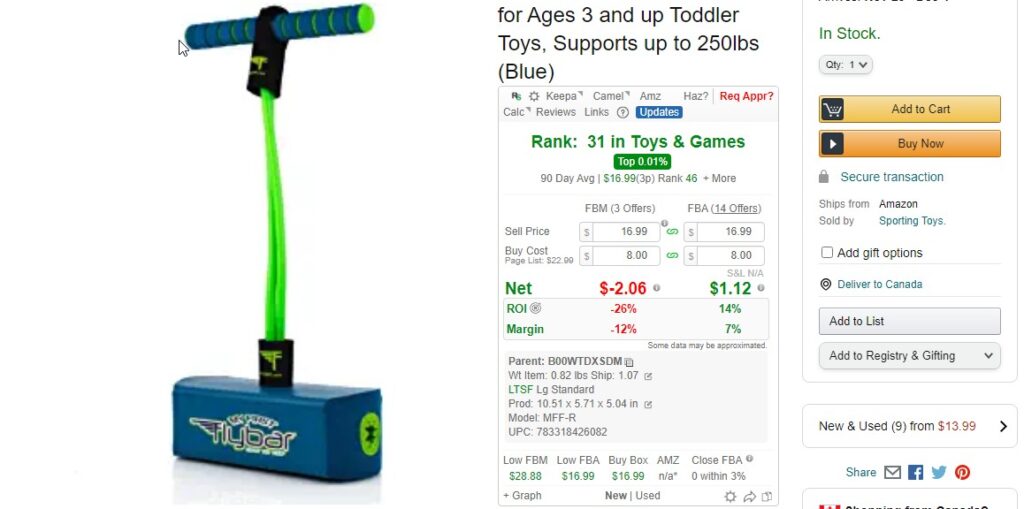
Enter your buy cost and inbound shipping, and RevSeller calculates Amazon fees, net proceeds, profit, margin and ROI. You can switch between FBA and FBM to see which makes more sense for the product.
Variation Viewer
On listings with many variations, such as clothing, shoes or bags, Amazon only shows one variation at a time. The Variation Viewer lists every variation with details like size and color, review count, lowest FBA and FBM prices and number of offers, so you can spot the variations that actually sell.

FBA/MFN Seller Counts
RevSeller shows how many sellers offer the product through FBA and how many ship it themselves (MFN/FBM). That helps you judge competition and how fast you’re likely to sell your units.
Sales Rank Averages
Sales rank changes constantly, so a single snapshot can mislead you. RevSeller shows average rank data to help you judge demand, and for full history you can open Keepa in one click. If you’re new to this, our guide to reading a Keepa graph explains what to look for.
Restriction Checks and Quick Links
The panel includes quick links to Seller Central pages, such as adding a product and checking listing restrictions, plus external research tools, so you can confirm whether an ASIN is gated before you buy.
Bulk Analysis and Google Sheets Export
Besides single-product checks, RevSeller can analyze products from a spreadsheet and export products to Google Sheets with one click, which is handy for tracking leads or sharing them with a virtual assistant.
How to Install and Set Up RevSeller
- Sign up for the free trial on revseller.com.
- Connect your Amazon seller account. You’ll be sent to Seller Central to approve RevSeller’s access through the SP-API. RevSeller only requests product data for the pages you view.
- Install the RevSeller extension from the Chrome Web Store.
- Log in to the extension (and the mobile app, if you want it) with your revseller.com email and password.
- Open any Amazon.com or Amazon.ca product page. The RevSeller panel appears below the product title.
Older guides mention Amazon MWS tokens. Amazon has retired MWS, and tools like RevSeller now connect through the SP-API instead.
How to Use RevSeller to Analyze a Product
- Open the product page and enter your cost (COGS) and inbound shipping in the RevSeller panel.
- Compare FBA and FBM profit, margin and ROI.
- Check the sales rank, seller counts and whether Amazon is on the listing.
- Open the Variation Viewer if the listing has variations.
- Confirm you’re allowed to sell the ASIN and check its price history in Keepa before you buy.
How Different Sellers Use RevSeller
Online Arbitrage
Online arbitrage sellers use RevSeller to check profit and ROI without switching between retailer sites and calculators. It pairs well with a sourcing list: if you use online arbitrage leads, RevSeller makes it quick to double-check each lead with your own costs before you buy.
Retail Arbitrage
In stores, the mobile app lets you scan barcodes and check products on the spot. Back home, you can review those finds on desktop with exact costs. For more apps, see our list of Amazon seller scanner apps.
Wholesale
Wholesale sellers can check sales rank, variations and restrictions quickly while reviewing a brand’s catalog, and use the spreadsheet analysis for larger product lists.
RevSeller Pros and Cons
Pros
- Affordable: $99.99 per year after a 30-day free trial with no credit card
- Fast on-page FBA/FBM profit and ROI calculations
- Excellent Variation Viewer
- Restriction and FBA eligibility checks
- Mobile app for scanning in stores
- Easy setup and simple interface
Cons
- Amazon.com and Amazon.ca only
- Chrome only on desktop
- No built-in long-term price history charts (you still need Keepa)
- No IP complaint alerts
- Doesn’t scan retail websites for deals; you still need to find the products
RevSeller Alternatives
If RevSeller doesn’t fit your marketplace or workflow, these are the most common alternatives. Pricing changes often, so check each tool’s website for current plans.
| Tool | Best for | Mobile app | Marketplaces |
|---|---|---|---|
| RevSeller | Low-cost on-page profit checks and variations | Yes | US, Canada |
| SellerAmp SAS | Detailed deal analysis with IP and restriction alerts | Yes | US, Canada, UK, Europe and more |
| BuyBotPro | Automated deal scoring and analysis | Yes | US, UK, Europe and more |
| Seller Assistant | All-in-one extension with alerts and integrations | Yes | Most Amazon marketplaces |
| Keepa | Price and sales rank history | Yes | Most Amazon marketplaces |
For a wider comparison, see our guide to the best Chrome extensions for Amazon sellers and useful Chrome extensions for online arbitrage.
Final Thoughts
RevSeller is a practical, affordable tool for US and Canadian sellers who want quick, accurate product numbers without a complex dashboard. It’s especially useful for online arbitrage, retail arbitrage and wholesale. Use it together with Keepa for price history, and try the 30-day free trial to see whether it fits your workflow.
Frequently Asked Questions
Is RevSeller free?
RevSeller offers a 30-day free trial with full features and no credit card. After that, it costs $99.99 per year or $19.99 per month.
Can RevSeller be used on more than one computer?
Yes. You log in with your RevSeller account, so you can use the extension on more than one computer under the same subscription.
Does RevSeller work on a phone or tablet?
The Chrome extension is desktop-only, but RevSeller has a mobile app for iPhone and Android that you log in to with the same account.
Does it work in other Amazon marketplaces?
No. RevSeller currently works on Amazon.com and Amazon.ca only, not Amazon.co.uk or other marketplaces.
Does it work on browsers other than Google Chrome?
No. The desktop extension only works in Google Chrome, not Firefox, Safari or Microsoft Edge.
Is there a RevSeller coupon code?
RevSeller doesn’t publish a permanent coupon code. The annual plan already works out much cheaper than paying monthly, so check the website for any current offers before you subscribe.
How accurate are the fee estimates?
RevSeller pulls fee data from Amazon through the SP-API, so estimates are generally reliable. Still, double-check important buys with Amazon’s Revenue Calculator, especially for oversized items, dangerous goods or products with variable closing fees.
Do I need MWS to use RevSeller?
No. Amazon MWS has been retired. RevSeller now connects through the Selling Partner API (SP-API), which you authorize from Seller Central during setup.
Is RevSeller good for new sellers?
Yes. The ROI calculator is a quick way to learn how fees affect profit. Beginners should also learn to read price history and check restrictions. Our guide to checking price history in online arbitrage is a good next step.











12 replies on “RevSeller Review: Chrome Extension, Pricing & Alternatives”
seems to be a useful tool 👌
Hi
Thanks for commenting sir. We will be happy to hear your opinion about this tool after you test it.
I use this tool along with Keepa and using these two tools at the same time is really helpful for Amazon sellers. I also recommend my friends to use it.
Hi Ema. Thanks for sharing your great experiences
In my opinion, Revseller is the best arbitrage tool.
Hi Sam. Thanks for your comment to us 🙏
Revseller is a good tool. Introduce free arbitrage tools to us too.
Hi Saleh. I think this article may help you.
https://oabeans.com/useful-chrome-extensions-for-online-arbitrage/
Revseller Is one of the best OA tools I’ve ever seen. I recommend everyone to test this useful tool.
Hi Paul.
Thanks four your comment 🙏
it was really useful for me. thanks oabeans
Hello Calia Mendez. We’re so pleased to hear from you