
Quick answer: To submit invoices for Amazon ungating, search the restricted product in Seller Central, click Apply to sell, and upload a supplier invoice when Amazon asks for one. Amazon typically wants an unedited invoice from a manufacturer or authorized distributor, dated within the last 180 days, showing at least 10 units of the products you want to sell, with your business name and address matching your Seller Central account. The sections below explain each requirement and how to avoid rejections.
What Counts as an Invoice?
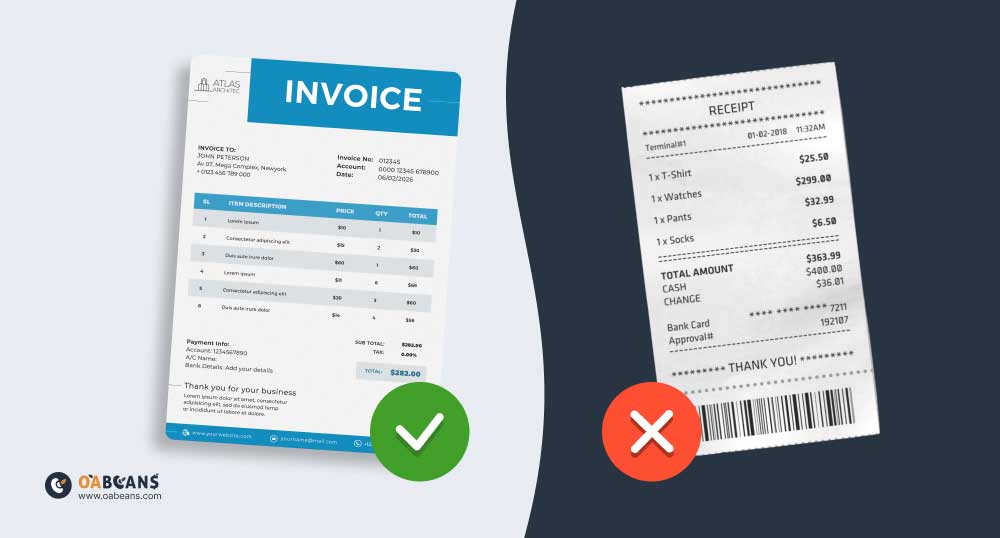
An invoice is a commercial document issued by a seller to a buyer. It serves as a formal request for payment for the goods provided and acts as a transaction record for both parties. An invoice usually contains the following:
- Seller’s Details: Name of the seller or business, business address, contact information (phone, email), business identification number
- Buyer’s Details: Name of the buyer or company purchasing the goods, delivery address, billing address
- Invoice Number: A unique number for tracking or referencing the invoice
- Itemized List of Products: Description of each product provided, quantity, price per unit, total price for each item
- Other Information: Subtotal, additional fees, payment terms, date of issue, payment due date, etc.
Which Amazon Categories Need Invoices?

Amazon has a lot of categories to choose from, but you can only sell in some of them from the beginning. To sell in them, you must apply for approval, and Amazon may ask for invoices. The exact list changes over time and depends on your account, so always check the requirements shown when you click Apply to sell. Categories that commonly require approval (often with invoices) include:
- Automotive & Powersports
- Collectible Coins
- Fine Art
- Fine Jewelry
- Gift Cards
- Grocery & Gourmet Food
- Major Appliances
- Sexual Wellness
- Sports Collectibles
- Textbook Rentals
- Watches
- Beauty (certain subcategories)
- Clothing, Shoes & Accessories (certain subcategories)
- Health & Personal Care (certain subcategories)
- Music & DVD (certain subcategories)
- Toys & Games (during the holiday season for new sellers)
- Video, DVD, & Blu-ray
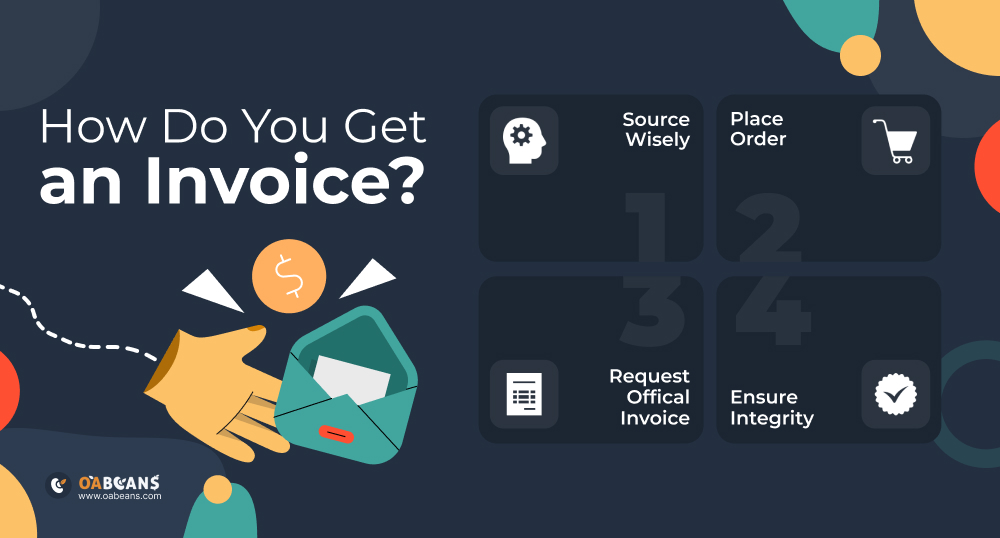
How Do You Get an Invoice?
Acquiring a legitimate invoice may sound complicated when you need to know the process, but it’s pretty straightforward.
- Source from Reputable Suppliers: Build relationships with trustworthy wholesalers, distributors, and manufacturers.
- Place Your Order: Once you’ve selected a supplier and the desired products, proceed to place your order. Consider both your business needs and any specific requirements set by Amazon (for example, you must order at least ten units of the product for an invoice, but more on that later).
- Request a Proper Invoice: When ordering, explicitly ask for an invoice. Ensure it contains essential details such as supplier information, product specifics, quantities, transaction date, and unit price. Some suppliers will send digital invoices via email, while others may include a physical copy with the shipped items.
- Authenticate Invoices: Verify the authenticity of invoices, as Amazon might contact suppliers for confirmation. Only engage with responsive and legitimate suppliers to avoid issues.
How to Get Ungated on Amazon Using Invoices?

You know the basics of getting an invoice from an authorized distributor or manufacturer. But how do you submit the invoice to Amazon? Let’s find out:
Step 1: Open an Account with a Distributor
Establish a legitimate business relationship with an authorized distributor to be eligible to receive official invoices. To do this, look for reputable distributors relevant to your desired product category/brand. Reach out to them through their official website, phone, or email. Distributors might require information about your business, so make sure you verify your details and approve your account.
Step 2: Order 10 Units of a Relevant Product
Amazon typically asks for invoices showing at least 10 units of products that match the category or brand you are applying for. For example, if you want to sell Nike shoes, you would buy at least ten pairs from an authorized Nike supplier and use that supplier’s invoice in your application.
Use the distributor’s catalog to identify products related to the gated category and order a minimum of 10 units of the product.
Step 3: Get an Invoice
While checking out or placing your order, there’s usually an option to request an invoice. If there isn’t, you can contact their support and tell them you need one. Once received, check the invoice to ensure it has all the necessary details, including the distributor’s and your details, transaction date, etc. If they send you a physical invoice, you must scan it because you will need the digital version for online submission.
Step 4: Submit the Invoice to Amazon
Log into your Seller Central account and open Catalog > Add Products (Inventory > Add a Product in older menus). Search for the restricted product. There should be a notification that says, “Listing limitations apply.” Click the “Request Approval” or “Apply to Sell” button to begin the ungating process.
Here, you’ll have to upload some documents, including the invoice. Ensure the scanned or digital version of the invoice is clear and legible. Follow Amazon’s guidelines on the format and size of the document. After uploading, apply and wait for Amazon’s response.
Amazon makes the final decision on every application, and no one can guarantee approval. If you are an OABeans leads-list member, you get free access to our Amazon ungating course, the Ungating Sprint, which walks you through preparing invoices and applications yourself. For a broader overview, read our guide on how to get ungated on Amazon.
How Can I Tell If Amazon Will Accept My Invoices?
Amazon is known for its many rules and regulations, but if you adhere to them, you’ll most likely get the results you want. Ensuring your invoice meets Amazon’s standards is crucial for a smooth ungating process. Here’s how you can make sure Amazon accepts your invoices:
Dated Within the Last 180 Days
Amazon wants to ensure that the products and transactions are recent because older invoices might indicate outdated stock or business relationships. Amazon typically requires invoices dated within the last 180 days of your application, so use your most recent invoice.
Legible and High Quality
A clear invoice indicates professionalism and enables Amazon to verify all details easily. Avoid compressing or reducing the quality when uploading your invoice.
Never Handwritten
Handwritten invoices can be prone to errors and are considered less professional and verifiable. Always request printed invoices from suppliers, and if you receive a handwritten one, question its validity and ask for a standard printed version.
Linked to Their Website
Amazon sometimes checks the distributor’s website to verify the legitimacy of their business. Choose suppliers with an official and active website, and ensure the URL is mentioned on the invoice.
All Addresses Match Exactly
Consistency in addresses helps Amazon verify the authenticity of the transaction and the parties involved. Your address on the invoice must match the one provided in your Seller Central account, and the supplier’s address must match the one on their official website.
A Professional Website
A well-maintained website indicates a legitimate business, making it more likely for Amazon to trust the invoice source.
Quantities Match Your Sales
Amazon wants to ensure sellers aren’t just purchasing samples but engaging in genuine business transactions. The quantities on your invoice should make sense for what you plan to sell on Amazon. Don’t place a large order only to get ungated and then never list the inventory; buy products you intend to sell.
Tips to Improve the Possibility of Your Invoices Getting Accepted
Ensuring that your invoices get accepted by Amazon is crucial to expanding your product portfolio and scaling your business. Gated categories have less competition, making them a lucrative profit opportunity. Here are some tips to improve the possibility of your invoices getting accepted:
- Work with established and authorized distributors because Amazon is more likely to recognize and trust invoices from these sources.
- Avoid invoice services that offer “ready-made” invoices for ungating on Amazon.
- Regular purchases from the same distributor can indicate a genuine business relationship, which might increase the credibility of invoices.
- Maintain good account health on Amazon. While this isn’t directly tied to the invoice, good standing on Amazon can smooth out the ungating process.
- Periodically review and familiarize yourself with the ungating process and the rules surrounding it because Amazon’s rules can change.
What Happens If You Forge an Invoice or Edit Invoices from Suppliers?
Engaging in forgery or manipulating invoices for platforms like Amazon carries serious consequences. Firstly, Amazon takes a strong stance on seller integrity. If you’re found to have submitted fraudulent invoices, your seller account could be suspended, effectively halting your ability to sell on the platform.
Additionally, Amazon may initiate an investigation, potentially contacting the invoice’s stated supplier to verify its authenticity and reviewing your historical documentation. Legal repercussions are possible, too, as forging official documents like invoices is illegal, exposing you to fines and legal actions.
If your account suspension is lifted, the process could be complex and lengthy, involving submitting more documentation, appeals, and a detailed plan to prevent future violations.
Can You Get Ungated Without an Invoice?
Sometimes. Many sellers see instant approval for certain brands or categories, especially on accounts with strong sales history and account health, so always click Apply to sell before buying inventory just for an invoice. If Amazon does ask for documents, there is no reliable way around a genuine supplier invoice. In the meantime you can keep growing in open categories on Amazon.
Can You Use a Target or Walmart Receipt as an Invoice?
Retail receipts and order confirmations are frequently rejected for brand or category approval, because Amazon prefers invoices from manufacturers or authorized distributors with verifiable contact details. Some sellers report approvals with order confirmations from large retailers, but results vary, so a distributor invoice remains the safest choice. Retail stores are still great sources once you are approved; see our guide to the best online arbitrage websites.
Final Thoughts
Starting an online arbitrage business on Amazon is like going treasure hunting. There are many chances to find valuable things, but you need the right tools, like actual invoices, to succeed. Getting permission to sell certain products might seem complicated, but if you abide by the rules and provide legitimate invoices, you’ll discover many lucrative opportunities. So, use the tips provided in this article to start your ungating process today!