What is Keepa?
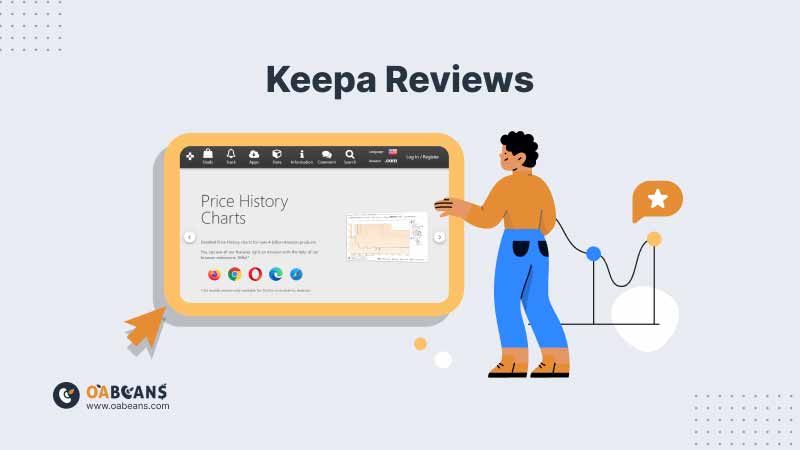
Keepa is an Amazon price tracker and product data tool. It records the price history, sales rank (BSR) history, offer counts and Buy Box history of products on Amazon, and shows them in the Keepa chart on its website and in its browser extension. Shoppers use the free version to track price drops, while Amazon sellers pay for a data subscription to see sales rank and seller data before buying inventory.
Our verdict in 2026: Keepa is still the most important research tool for online arbitrage and wholesale sellers. The free version is enough for price history and alerts, but the paid subscription (from €19/month) is what makes it worth using for sourcing, because it unlocks sales rank history, Product Finder and seller data.
Keepa’s browser extension works in Chrome, Firefox, Edge and other major browsers and adds the Keepa chart directly to Amazon product pages, so you can see historical sales ranks, price trends and how many sellers are on a listing without leaving Amazon.
Keepa doesn’t stop at sales rank data; it also provides a comprehensive price history for every item listed on Amazon. This feature empowers sellers to track price fluctuations and identify trends, helping them make strategic decisions about their inventory.
Is Keepa Free?
Partly. Keepa has a permanent free version, not a time-limited free trial. With a free account you can track up to 5,000 products, see Amazon price history charts, set price drop alerts and use the browser extension.
The features sellers need most are paid. A Keepa data subscription starts at €19 per month (Keepa bills in euros, so the US dollar amount depends on the exchange rate), and annual billing works out cheaper per month. The subscription unlocks:
- Sales rank history in the Keepa chart, which you need to estimate how often a product sells
- Offer count, Buy Box and seller history
- Product Finder, Product Viewer, Top Seller List, Seller Lookup and Category Tree
- Basic access to the Keepa API (extra API tokens cost more)
Because there is no free trial of the paid features, the simplest way to test Keepa is to subscribe for one month and cancel if it does not fit your workflow. Always check the current price on Keepa’s own subscription page before paying.
Keepa Features
Keepa’s features are organized into three main sections: Deals, Data, and Track. Additionally, the company offers a browser add-on for easy product lookup while browsing Amazon. Let’s delve into each area to understand its primary functions.
Keepa Deals
Deals serve as a database for researching products currently on sale on Amazon. Users can input search queries and receive a list of matching products along with their average price, current price, and discount percentage.
Clicking on a product provides access to historical sales data, showcasing price fluctuations over time. The interface offers various filters for sorting by price range, drop range, minimum rating, category, and deal type.
Keepa Data
Keepa Data functions as a dashboard for Amazon product research, offering several key features that were mentioned in Keepa reviews:
- Product Viewer: Allows users to upload a list of Amazon Standard Identification Numbers (ASIN) to access sales rank, price decrease rating, and other product data. Clicking on a product provides access to the Keepa Chart, displaying price changes over time.
- Product Best Sellers: Displays Amazon’s top-selling products by category, providing valuable insights for product research.
- Top Seller List: Offers a list of Amazon’s top sellers, allowing users to analyze seller ratings, total reviews, verified listings, and major product categories.
- Category Tree: Provides a comprehensive list of Amazon product categories and subcategories, facilitating efficient product investigation.
Check out our article on how to use Keepa for smart OA purchases to use this tool more efficiently!
Keepa Track
Keepa Track enables users to monitor price changes on Amazon and set up price alerts for specific items of interest. Users can receive email notifications when the price of a tracked item changes. To set up alerts, users can either find the product in the Deals database or upload it to the Product Viewer. Additionally, users with the Keepa Firefox or Chrome extension can set up alerts directly on Amazon.
Keepa Chrome Extension
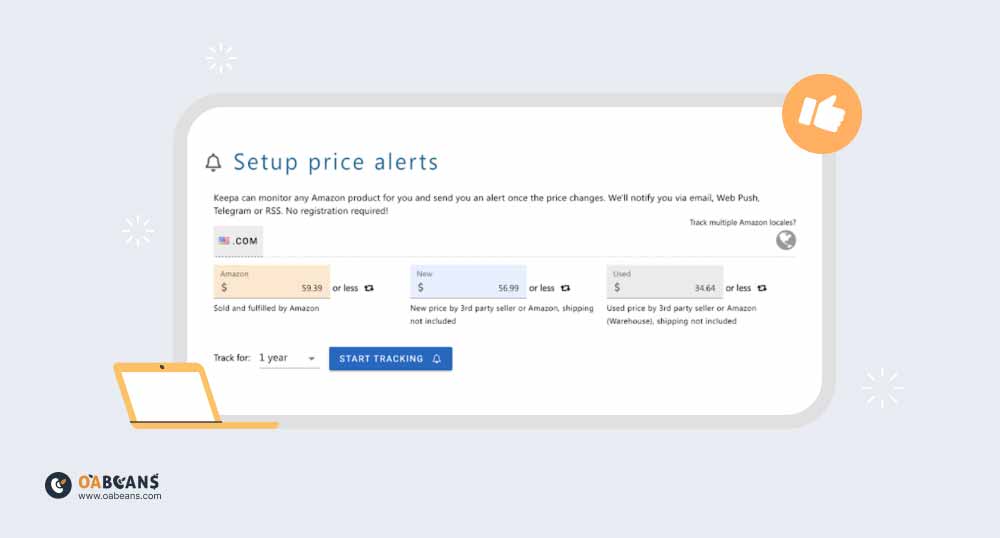
The Keepa Chrome Extension is a browser plug-in compatible with popular web browsers like Mozilla Firefox and Google Chrome. This extension enhances the Amazon shopping experience by displaying price history graphs directly on Amazon product pages. If you don’t know how to check price history in online arbitrage, make sure to read up on this subject.
Users can track pricing by copying and pasting the product link into the Keepa dashboard, where they can view price trends over weeks, months, and years. The extension also allows users to set up price drop notifications for added convenience.
Pros & Cons of Keepa
Although Keepa is considered one of the most essential tools in Keepa reviews, it also has some challenges. We’ll find out more about Keepa’s pros and cons below:
Pros:
- Increased Chance of Finding Deals: Keepa’s advanced filtering options streamline your product search, increasing your chances of finding relevant discounts tailored to your Amazon business needs. By focusing on specific criteria, you save time and ensure that pursued offers align with your requirements.
- Access to Relevant Data: Keepa provides essential data such as buy box price, price drops, and sales rank, helping you filter out products that don’t meet your criteria. The availability of data simplifies deal analysis, allowing you to make informed decisions quickly.
- Graphical Insights: Keepa’s graph feature offers valuable insights into past data, aiding in decision-making by providing a visual representation of product price history. This feature allows for quick assessment of potential deals, enhancing efficiency in deal evaluation.
Cons:
- Additional Costs: While the Chrome extension is free, accessing the full range of Keepa’s features requires a paid subscription. Investing in a subscription allows you to utilize Keepa’s full potential, enhancing decision-making and maximizing success as an Amazon seller.
- Data Overload: For beginners, the abundance of data presented by Keepa may initially feel overwhelming. However, users mention in Keepa reviews that investing time in learning and familiarizing yourself with Keepa’s features can help overcome this challenge. Use resources like tutorials and informative articles to enhance your understanding and make the most of Keepa.
Best Free & Paid Alternatives to Keepa

Looking into Keepa alternatives can provide Amazon sellers with various perspectives, features, or pricing structures that may better match their specific requirements. Below are five notable alternatives to Keepa, according to Keepa reviews:
1. CamelCamelCamel (Free)
Known for its comprehensive price tracking and history charts, CamelCamelCamel is a user-friendly tool for monitoring price changes on Amazon products. It provides price drop alerts and history graphs, ideal for those who focus on price history for purchasing decisions. You can check out our CamelCamelCamel reviews to learn more about this tool.
2. AMZScout (Paid)
Offers a suite of tools including a product database, keyword tracker, and sales estimator. The AMZScout Chrome extension provides real-time data on sales estimates, competitive analysis, and profitability calculations, suitable for sellers needing comprehensive research and market insights. If you want to learn more about this tool and its features, you can check out our AMZScout reviews.
3. Helium 10 (Paid)
Helium 10 is an all-in-one suite with product research, keyword research, listing optimization and a Chrome extension (Xray) that estimates sales on Amazon search pages. It is better suited to private label sellers than to quick arbitrage checks, and it does not replace Keepa’s long-term price history.
4. SellerAmp SAS (Paid)
SellerAmp SAS is a sourcing extension and mobile app built for online and retail arbitrage. It shows profit, ROI, eligibility, IP alerts and an embedded price history chart in one panel, so many sellers use it alongside Keepa. Read our SellerAmp review for features and pricing.
5. BuyBotPro (Paid)
A comprehensive tool for Amazon sellers offering features such as product analysis, profit calculations, and inventory management. BuyBotPro helps sellers make informed decisions by providing insights into product profitability and market trends, making it suitable for optimizing product listings and maximizing profitability on Amazon. Reading BuyBotPro reviews is a great way to learn more about how this tool works.
OABeans Leads Lists: A Great Addition to Keepa
Keepa tells you whether a product is worth buying, but it does not find the deals for you. That is the slow part of online arbitrage, and it is where an online arbitrage leads list saves the most time.
OABeans members receive pre-researched leads from US and Canadian retailers every weekday, already checked for ROI, profit, sales rank, price history and risks such as IP complaints and hazmat. You can then open each lead in Keepa to confirm the numbers yourself before you buy. Compare plans on the OABeans pricing page.
Keepa FAQ
Is Keepa safe and legit?
Yes. Keepa is a long-established Amazon price tracker used by millions of shoppers and sellers. It reads publicly available Amazon product data, does not need access to your Amazon account to show charts, and its official extension is available in the major browser stores. Only install it from Keepa’s site or the official store listing.
Does Keepa have a free trial?
No. Keepa offers a permanent free version with price history and alerts, but there is no free trial of the paid data subscription. You can pay for one month (from €19) and cancel if you don’t need it.
What settings should I use for Keepa price alerts?
Track the product, then set a desired price for the price types you care about: Amazon, New (third-party), Used or Buy Box. Sellers usually alert on the Buy Box or New price falling below the cost that still gives their target ROI. Choose how you want to be notified in your Keepa account settings, and set an alert duration so old alerts expire instead of piling up.
What is the difference between Keepa and CamelCamelCamel?
Both track Amazon prices for free, but only Keepa (with a subscription) shows sales rank, offer count and seller history, which is the data sellers need. CamelCamelCamel is a good free option for shoppers who only care about price drops.
Final Thoughts
Keepa remains an essential tool for anyone selling on Amazon in 2026. The free version covers price history and alerts, while the paid subscription unlocks the sales rank and seller data that make sourcing decisions safer. If you are new to it, start with our guide on how to read a Keepa graph, then build it into every buying decision.