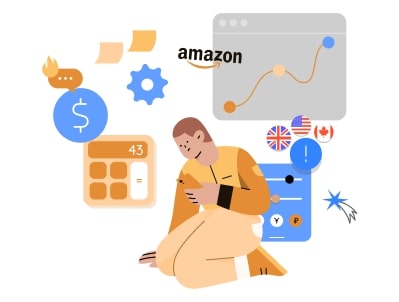

An Amazon ASIN (Amazon Standard Identification Number) is a unique 10-character alphanumeric code that Amazon assigns to every product in its catalog, for example B0XXXXXXXX. Every product page on Amazon has one, and every seller offering the same item shares the same ASIN. In this guide you’ll learn what an ASIN is, where to find it, how it differs from an FNSKU, UPC and SKU, and when you can create a new one.
What is an ASIN Number?
The ASIN is Amazon’s internal product identifier. It is shown on every product detail page and is unique within a marketplace’s catalog: one ASIN points to one product, or to one specific variation of a product (such as a size or color).
An ASIN is always exactly 10 characters long and mixes letters and numbers. Most non-book ASINs start with “B0”. You can paste an ASIN into the Amazon search bar to jump straight to the product, which is why sellers, sourcing tools and leads lists use ASINs to identify products.
For books, the ASIN is the same as the book’s 10-digit ISBN (International Standard Book Number), the identifier printed on commercially published books. Kindle eBooks get their own ASIN.
The ASIN number is the fastest way for Amazon to locate an item, so when you contact Amazon support, it will be the first thing they ask you to help you.
Where is Amazon ASIN Number Used?
ASINs are used across Amazon’s marketplaces, including Amazon.com, Amazon.ca, Amazon.com.mx, Amazon.co.uk, Amazon.de, Amazon.fr, Amazon.it, Amazon.es and Amazon.co.jp.
The same product often carries the same ASIN in several marketplaces (for example on Amazon.com and Amazon.ca), which makes cross-border research easier. This is not guaranteed, though: some products have a different ASIN, a different pack size or no listing at all in another marketplace, so always confirm the ASIN in the marketplace you plan to sell in.
Why is Amazon ASIN so Important?
The ASIN code for Amazon is essential to inventory tracking. It is a reliable reference for indexing catalog pages for searching or browsing purposes. Since there are already millions of products listed on Amazon, it won’t be easy for customers to find their desired products without a unique identifier. Therefore, the Amazon ASIN number is essential for your business to maintain its identity in the marketplace and help customers find what they need without the hassle.
So, it’s safe to say that assigning the ASIN number Amazon to your products is of great importance. It is mainly used for:

- Controlling or tracking inventory
- Used as a reference for catalog data
- Simplifying search results for both the customer and the seller
- Help to find the keywords used for each product
- Identifying keywords that rank better than your products
This identification number is significant for the classification of Amazon catalogs. If you know your way around SEO on Amazon, your products will have more opportunities to appear among the first positions in searches.
In addition, you will need to list your products under an ASIN to sell them on Amazon. You’ll be surprised to find out Amazon probably already has an ASIN for your product. But this is because there are two types of ASINs on Amazon: regular and unique.
Imagine you’re selling a well-known toy on Amazon that other sellers have already listed. In this case, you can use the same regular ASIN for your products, and Amazon will display one product page, even if several suppliers are selling it. On the other hand, if you are selling a unique product or an item that hasn’t been listed, you can get a new and unique ASIN number from Amazon.
Know More: How to Answer Questions on Amazon as a Seller?
Is it Better to Create a New ASIN or Use an Existing One?
It’s not a question of which one is better, but rather a question of which one suits your products more. We already know that there are two types of ASINs on Amazon: the unique or new ASIN and the regular or existing ASIN.
Remember that you cannot create a new ASIN for a product already listed on the Amazon marketplace. So, before making a new ASIN for your product, make sure it is not already listed. Failing to do so can lead to your selling privileges being temporarily or permanently suspended.
If your product already exists on Amazon, you’ll have to match it to its existing ASIN. You’ll share this ASIN with every other seller offering the same product on Amazon. The reason for sharing ASINs is because Amazon wants to keep search engine results pages undiluted. Most resellers and products with wide distribution use the existing ASINs on Amazon.
On the other hand, if you’re offering a product that has never been sold on Amazon, you’ll have to create a new product listing before Amazon can assign it an ASIN. Brand owners, private labels, and accounts with exclusive distribution rights are the leading sellers needing a unique ASIN number.
If the concept of new vs. existing ASINs is still vague, imagine that you search for “Tresemme Shampoo” on Amazon. Even though multiple sellers offer the same product, only one search result comes up, which means that all these sellers’ products share the same ASIN number.
For resellers, this is good news. If you do online arbitrage, retail arbitrage or wholesale, almost every product you buy already has an ASIN, so you only need to find it and add your offer to the existing listing. Creating new ASINs is mainly a job for brand owners and private label sellers, and Amazon limits how many new ASINs a seller can create, especially for newer accounts.
Benefits of Creating New Amazon ASIN Numbers?
As you already know, Amazon is a vast marketplace with millions of sellers competing to sell more of their products. The high competition means that many listings have dozens, if not hundreds, of sellers offering the same product. Having a new and unique Amazon ASIN number means you are the only seller (at least for the time being) offering that item. By creating a new ASIN number, you can enjoy benefits such as:
- Protecting your brand: Amazon has a way of protecting brands from unauthorized use called brand gating. You can protect your brand by having Amazon review your ASINs for gating by enrolling in the Amazon brand registry and providing a support case plus a list of ASINs you want to have gated.
- Getting access to A+ content: By enrolling in the Amazon brand registry and getting new ASINs, you’ll get access to better description options, including a unique brand story, enhanced images, and text placements which will increase conversion rates and traffic, and sales.
- Winning Amazon Buy Box: Another benefit of creating new ASIN numbers is the increased probability of winning the buy box, which is a fantastic way to boost sales.
How Can I Find My Amazon ASIN Number?
If the item you’re selling is already listed on Amazon, it will have an ASIN number created, so you’ll need to find it to add it to your product. There are several ways to find it:
- Look at the URL: An alphanumeric code appears after the item name refers to the product’s ASIN.

- Details section: The product must have its ASIN code indicated in the details section. This method, like the previous one, is only recommended if a small number of products will be sold.

- Seller tools and extensions: Browser extensions and sourcing tools such as Keepa, SellerAmp SAS or the Amazon Seller app scanner show the ASIN instantly and let you search by UPC or keyword. See our guide on how to use Keepa.
- Amazon Seller Central: Go to Catalog > Add Products and search by product name, UPC/EAN or ISBN. Matching listings appear with their ASIN, and you can add your offer to the right one.
- Search by UPC: If you have the item in hand, search the barcode number (UPC/EAN) on Amazon or in Seller Central to find the matching ASIN.
It is essential to understand that each product has a different ASIN, but each variant also has its own ASIN. This way, if a product has different sizes or colors, each garment or item variant will have an ASIN. For example, a women’s t-shirt might be sold in four sizes and two colors to have eight different ASINs.
Read More: Amazon Listing Hijacking: How to Protect Your ASINs
How to Create Unique Amazon ASIN Numbers?
You can only create a new ASIN for a product that isn’t already in Amazon’s catalog. Creating a duplicate listing for an existing product breaks Amazon’s policies and can put your selling privileges at risk, so always search the catalog first and add your offer to the existing ASIN when one exists.
To create a new ASIN you normally need a valid GTIN (UPC, EAN, JAN or ISBN). Amazon checks UPCs against the GS1 database, so buy barcodes from GS1 rather than cheap resellers. Brand owners with their own products can request a GTIN exemption, and brands enrolled in Amazon Brand Registry get more control over their listings. Amazon also applies ASIN creation limits to accounts, which are tighter for new sellers.

1) Using the “Add a Product” Feature
By using Amazon’s admin panel, you can manually add each piece of product information. If the item is not in the catalog, the seller will need to provide the following information for Amazon to create the ASIN:
- Product name
- Brand
- Maker
- Category
- Description
- SKUs
- UPC, EAN or JAN
- Product title includes color variants, sizes, measurements, model or part numbers, etc.
- The batch number from the processing report of the inventory upload file.
- Images of the product. The images must show the front and back of the product, including a barcode, UPC, and brand name with and without packaging and, if it is clothing and accessories, with the items extended).
2) Using Amazon Inventory Templates
You’ll have to download a category-specific file template from Amazon for this method. These templates can be found in your Amazon Seller Central account’s “Add products via upload” section. After filling the information in the template, upload the file to Amazon for processing. Amazon will create new products and assign them ASINs. This method works best for a large number of products.
3) Using a Feed Solution
Automated feeds are another great way to create new products and ASINs on Amazon. By using feeds, sellers can create large numbers of products efficiently and systematically. Feeds pull data from various sources such as your eCommerce shopping cart or backend system and then send them to Amazon.
Note: Upload Errors!
Amazon has a strict ASIN creation policy and data requirements that you need to meet. If you don’t, you’ll receive errors, and your new products may not get created.
You’ll see many errors if you use Amazon’s admin panel to create products. But if you’re using an inventory file template or a feed solution, the errors will come after Amazon has processed your file or feed upload. The errors will be shown in codes and need specific knowledge to understand and debug.
ASIN vs FNSKU vs UPC vs SKU
New sellers often mix up Amazon’s product codes. Here is how they differ:
| Code | Who creates it | What it identifies |
|---|---|---|
| ASIN | Amazon | The product listing in Amazon’s catalog, shared by every seller of that item |
| FNSKU | Amazon | Your specific FBA units, so Amazon knows which seller’s inventory it is (printed on the FBA label) |
| UPC / EAN (GTIN) | Manufacturer (via GS1) | The product worldwide, printed as the retail barcode |
| SKU | You, the seller | The item in your own inventory system |
So there is no separate “ASIN label”: when you send inventory to FBA, you label each unit with its FNSKU barcode (or use the manufacturer barcode where Amazon allows it). Learn more in our guide to Amazon FNSKU and how to create it.
Common Questions About Amazon ASINs
How many characters is an ASIN?
Exactly 10 alphanumeric characters. Most product ASINs start with “B0”; book ASINs match the 10-digit ISBN.
Can two sellers use the same ASIN?
Yes, and they must if they sell the identical product. All offers appear on one product page and compete for the Buy Box.
Does having an ASIN mean I can sell the product?
Not always. Some ASINs are in gated categories or brands that require Amazon’s approval first. Check the listing in Seller Central before buying inventory, and read our guide to Amazon restricted categories and brands.
Can an ASIN be deleted or changed?
Sellers can’t change or delete an ASIN. You can close or delete your own offer, but the ASIN stays in Amazon’s catalog. Duplicate ASINs can be merged by Amazon through a Seller Support request.
Final Thoughts
The ASIN is the backbone of Amazon’s catalog. Resellers use it to find, analyze and list products that already exist on Amazon, while brand owners create new ASINs for products that are new to the catalog. Knowing how to find the right ASIN, and how it relates to FNSKUs, UPCs and SKUs, helps you avoid listing mistakes and source products faster.
FAQ